Track & Trace

Lot Tracking Software for Circular Economy Operations

When a customer, auditor, or regulator asks where a load came from or where it ended up, most operations start digging through scale tickets, spreadsheets, and email. In circular businesses the answer is harder because material gets sorted, regraded, processed, broken down, and sometimes sent through the loop more than once.

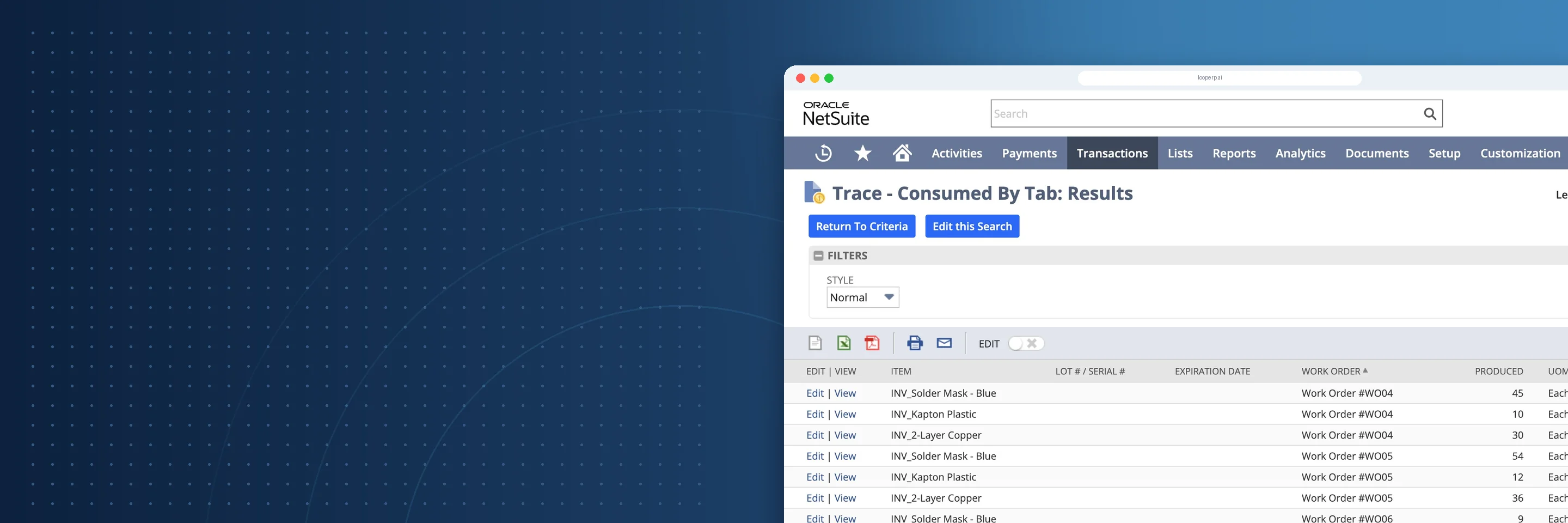
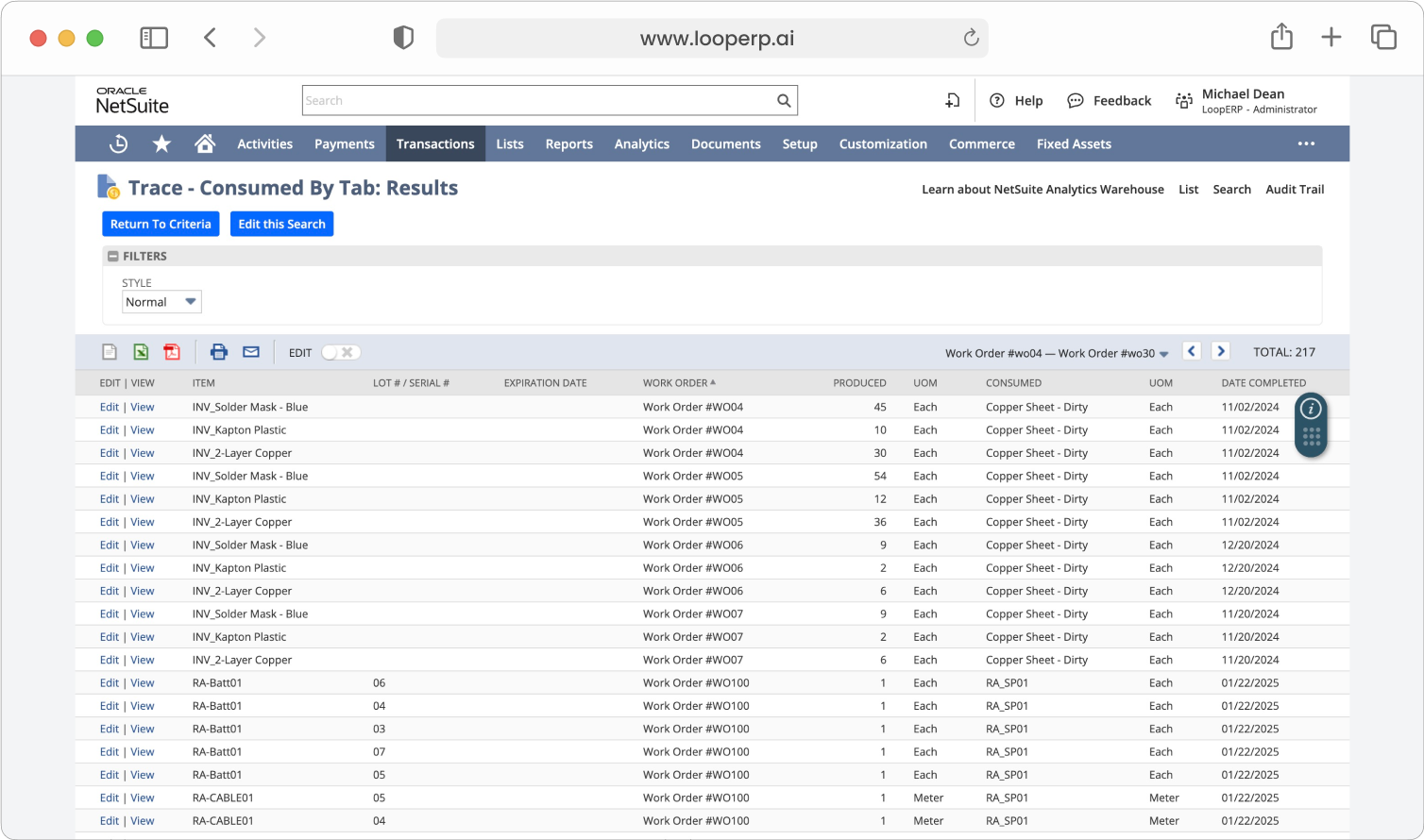
Loop ERP's Track and Trace follows every lot from intake through processing to final sale inside NetSuite, so chain of custody is already on record when someone asks.

What It Does
What is lot tracking and traceability in ERP?

Expanded Key Features

icon

Lot, Batch, and Serial Control

Track material by lot, batch, or serial number, whichever level of detail your products and customers require, and record movements, grade changes, and ownership changes as they happen.

icon

Complete Lifecycle Event History

See a time-stamped history of every event in a lot's life: purchase, inbound ticket, inspection, regrade, production, disassembly, transfer, and final sale or shipment.

icon

Chain of Custody Records

Record every handoff, receipt, transfer, inspection, and shipment across departments, sites, tollers, and partners, so there are no gaps when someone asks where material has been.

icon

Component-Level Tracking

For products that are broken down and rebuilt, trace recovered components from their source unit through processing and into reuse, resale, or a new finished item.

icon

Multi-Entity, Multi-Location Support

Trace material across yards, warehouses, processing sites, subsidiaries, and outside processors while keeping one view of every lot in NetSuite.

icon

Compliance and Recovery Reporting

Produce chain of custody, provenance, recovery rate, and diversion reports from your transaction records to support audits, customer requests, and sustainability reporting.

icon

Barcode and Mobile Data Capture

Capture lot and tag data with barcode scanning and mobile apps at the scale, in the yard, and on the floor to cut manual entry errors.

icon

Exception Alerts and Affected-Lot Lookup

When a defect, contamination, or audit question comes up, find every affected lot, where it went, and who received it, then open corrective actions right away.

Chain of Custody From Intake to Sale

Traceability

Chain of Custody From Intake to Sale

Material in a circular operation is received, sorted, regraded, processed, and resold, often across several sites. With lot tracking in place, your team can:

  • Trace material from its source to its recycled or reused form
  • Follow lots through regrades, production, and transfers
  • Measure yield and recovery at each processing step
  • Back sustainability reporting with transaction data

A lot's full history is one click away from the ticket that started it.

Answer Where It Came From and Where It Went

Track and Trace records each step a lot takes, so chain of custody is ready when an auditor, customer, or partner asks.

Schedule a Demo
Answer Where It Came From and Where It Went

Blogs

Latest Insights

See All Blogs
Year-End Physical Inventory: How to Get Your ERP Data Ready Before Count Day

October 21, 2026

Year-End Physical Inventory: How to Get Your ERP Data Ready Before Count Day

EPR Deadlines Are Coming: What Scrap and Recycling Operations Need to Report Before Year-End

October 15, 2026

EPR Deadlines Are Coming: What Scrap and Recycling Operations Need to Report Before Year-End

Weight Tickets, Cost Per Ton, and ERP: How Aggregate Producers Connect Operations to Finance

October 9, 2026

Weight Tickets, Cost Per Ton, and ERP: How Aggregate Producers Connect Operations to Finance

See All Blogs
Book a demo

Talk with Loop ERP

See how Loop ERP connects scale tickets, dispatch, inventory, settlements, and NetSuite financials in one system, with no exports, re-entry, or month-end reconciliation.

  • Your workflow, live. Walk a load from the scale ticket to the general ledger in NetSuite.
  • Industry experts. Talk with people who know scrap, recycling, aggregates, and brokerage.
  • A clear next step. Leave with a picture of what implementation looks like for your operation.

Request a demo

Share a few details and we'll set up a time that works for you.

Frequently Asked Questions

Everything you need to know about Loop ERP

Can Loop ERP handle large-scale operations?

icon

Yes. Loop ERP is built on NetSuite, the same platform used by enterprise operators, multi-site businesses, and high-volume processors. It handles multi-entity accounting, consolidated reporting across locations, high daily transaction volumes, and complex settlement structures without slowing down. If you are running one site today and five next year, you do not need to replatform to keep up.

How long does it take to implement Loop ERP?

icon

Implementation time varies, depending on the number of locations, material streams, and integrations involved (scales, cameras, payment processors, third-party logistics). The Loop ERP team handles data migration, workflow configuration, integration, and training in parallel, and we work directly with your operations leads, not just IT, so the system matches how your business actually runs on day one.

What support does Loop ERP offer?

icon

Loop ERP provides implementation support, training for operations and finance teams, and ongoing technical support after go-live. Clients get access to documentation, how-to guides, and direct consultation with our team for troubleshooting, configuration changes, and new workflow setup. Support is handled by people who understand the difference between a ticketing issue and a grading exception, not a generic help desk working from a script.

How secure is Loop ERP?

icon

Loop ERP runs on Oracle NetSuite, so your data lives inside enterprise cloud infrastructure with encryption in transit and at rest, role-based access, and audit logging on every transaction. Ticket edits, grade changes, and settlement adjustments all carry a user stamp and timestamp. If a record is overridden or reclassified, you can see who did it and when, which matters for disputes, audits, and internal controls.

How does Loop ERP track material from intake to sale?

Each lot starts with the inbound ticket at the scale, which records weights, quality, and the supplier. From there, inspections, regrades, production steps with WIP and FG tags, and transfers all post as transactions tied to that lot. The outbound ticket closes the chain when material ships, so you can follow any lot from receipt to final sale.

Can I track yield and recovery through processing?

Yes. Production transactions record the material that goes in and what comes out when you shred, sort, bale, disassemble, or otherwise process it. Loop ERP tracks input, output, yield, and recovery percentage, with WIP and FG tags following material through each stage, so you can see what each lot produced and compare results across materials or sites.

What happens if I need to find every lot affected by a problem?

Because each lot's history is recorded in one system, you can search for every lot linked to a supplier, ticket, grade, or production run and see where that material went and who received it. From there you can open and assign corrective actions through Ticket Management so follow-up is tracked alongside the affected records.

Does track and trace help with compliance and sustainability reporting?

It gives you the records those reports depend on. Chain of custody, provenance, recovery rates, and diversion percentages come from the same tickets and production transactions your team already enters, with photos and documents attached where captured. That makes it easier to answer auditor, customer, and partner requests, though meeting a specific regulation still depends on your own processes.