Netting

Loop ERP Modules & Features

Inventory and Financial Netting Built Into Your ERP

In the circular economy, value doesn’t just flow in one direction. Products are returned, credits are issued, components are reused, and supplier-customer roles often blur. Loop ERP’s Netting feature function enables your business to intelligently offset quantities, costs, and transactions across cycles—so you can reduce waste, speed up operations, and improve financial clarity.

img
icon

What It Does

Loop ERP’s Netting engine helps organizations identify and apply offsets across inbound and outbound activity—automatically reconciling matching or opposite transactions to streamline processes, minimize unnecessary movement, and optimize cash and material flows.

Whether you’re returning goods to a supplier, sending recycled materials back to a partner, or reconciling purchase and sales orders with the same party, Netting makes it easy to manage these bidirectional relationships with precision.

What is inventory and financial netting in an ERP?

Netting in an ERP is the process of automatically identifying and offsetting matching or opposite transactions between your business and a trading partner — so instead of processing a full purchase order, a full sales order, and a separate settlement, the system nets them into a single entry that reflects only the difference. In circular and materials-based businesses, this matters because the same company is often both a supplier and a customer: you buy scrap from them, they buy processed material back from you, and reconciling that relationship manually means double the invoices, double the shipping, and a finance team spending hours matching transactions that should cancel each other out. Netting handles that automatically at the inventory level (offsetting returned goods against new stock), the order level (pairing purchase and sales orders with the same counterparty), and the accounting level (clearing AP and AR balances so only the net position needs to be settled). The result is fewer redundant transactions, cleaner books, and a faster close — without anyone building a spreadsheet to figure out who owes what.

Expanded Key Features

icon

PO-SO Netting (Purchase-Sales Offset)

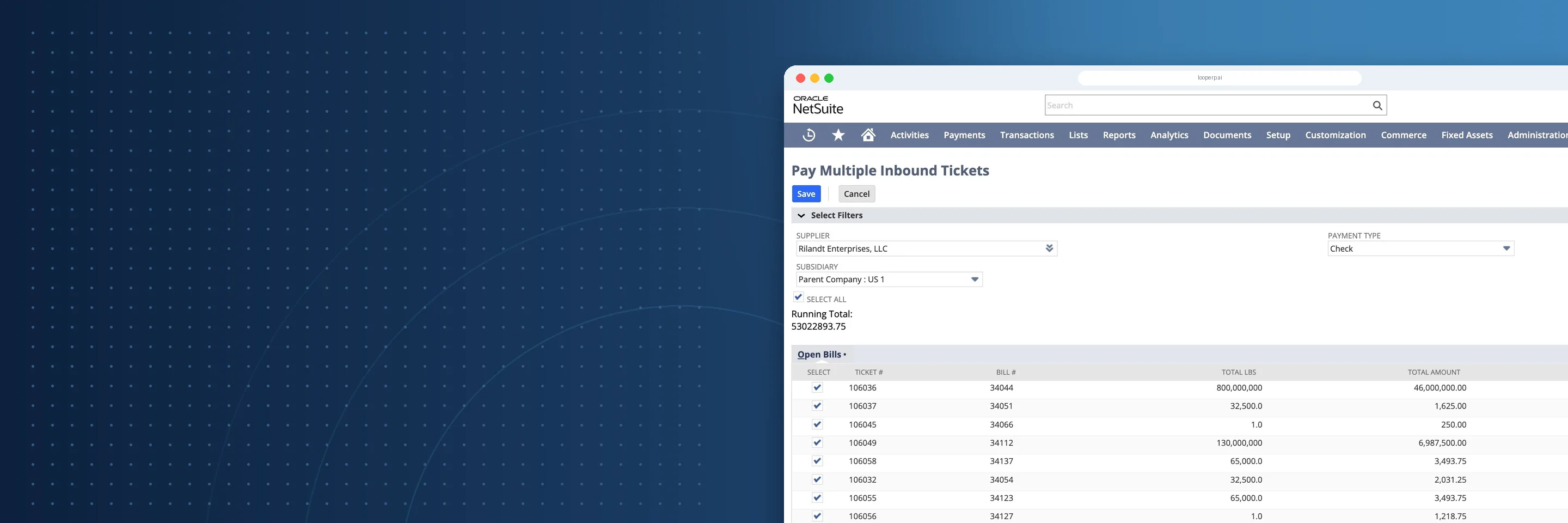
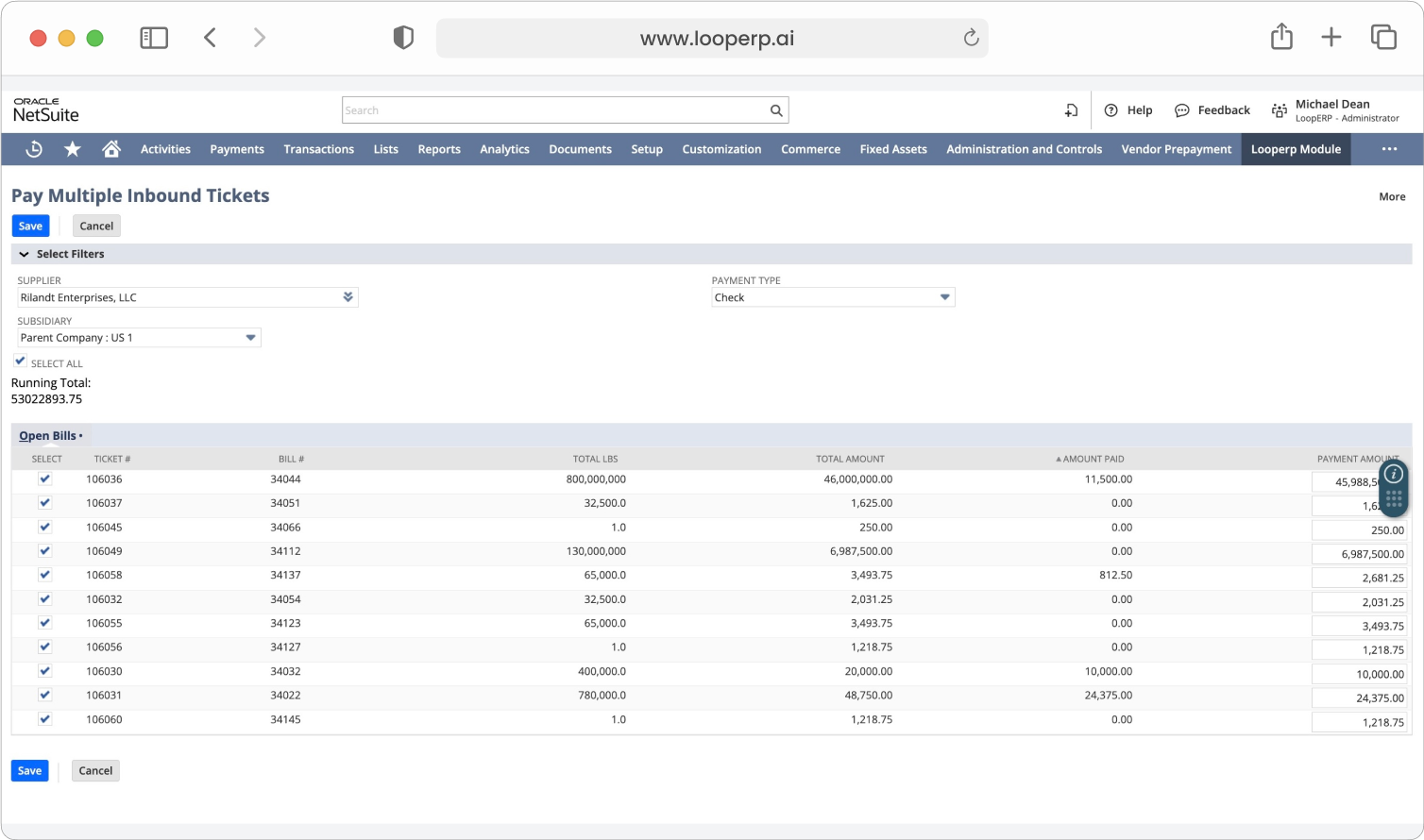
Automatically identify when your company is both buying from and selling to the same partner—and net the orders into a single settlement, shipment, or accounting entry.

icon

Inventory Quantity Netting

Rather than shipping returned or reprocessed inventory back and forth, Loop ERP enables internal or virtual netting across warehouses, facilities, or divisions—cutting down on physical movements and delays.

icon

Accounts Payable / Accounts Receivable Netting

Simplify intercompany or partner settlements by offsetting AP and AR balances—especially useful in ecosystems where the same entity acts as both supplier and customer.

icon

Returns & Replacement Netting

When a customer return results in a replacement order—or a supplier sends a credit plus replacement goods—Loop ERP lets you offset those transactions to avoid duplicate records and misapplied revenue.

icon

Component Netting for Disassembly and Reuse

When a return leads to a replacement order, or when a supplier issues a credit with new stock, Loop ERP lets you net those transactions so accounting stays clean. You avoid duplicate entries, prevent revenue from being applied incorrectly, and keep inventory and financials aligned without extra manual steps.

icon

Surplus & Obsolescence Offset

Loop ERP can automatically suggest netting surplus or obsolete stock against demand from other locations, product variants, or substitute items—minimizing excess and maximizing circular flow.

icon

Audit-Ready Transaction Matching

Every netting activity is logged and traceable, with clear references to original transactions. This gives your team a full audit trail for compliance, partner transparency, or financial reporting.

img

Circular Netting

Circular Netting for Circular Business

Traditional systems treat each transaction as isolated—Loop ERP sees the bigger picture. With Netting, you can:

  • Eliminate redundant shipping, billing, and manual effort
  • Manage dual-role partners with elegance
  • Offset value, volume, and responsibility in a more sustainable way
  • Extend the life and use of every component, product, and payment

Unlock Efficiency, Eliminate Waste

Whether you're dealing with returns, reprocessed materials, multi-role partners, or internal stock movements, Loop ERP Netting simplifies the complex and unlocks a leaner, cleaner operation.

Book a Demo
img

Blogs

Latest Insights

See All Blogs
icon

April 23, 2026

EPR Reporting for Scrap Recyclers: What Your ERP Needs to Handle in 2026

icon

April 13, 2026

What Is Scrap ERP? And Why Generic Systems Fail Scrap Metal Recyclers

icon

March 31, 2026

What Is a Circular Economy ERP? A Plain-English Guide for Scrap, Recycling, and Materials Businesses

See All Blogs

Frequently Asked Questions

Everything you need to know about Loop ERP

Can Loop ERP handle large-scale operations?

icon

Yes. Loop ERP is built on NetSuite, the same platform used by enterprise operators, multi-site businesses, and high-volume processors. It handles multi-entity accounting, consolidated reporting across locations, high daily transaction volumes, and complex settlement structures without slowing down. If you are running one site today and five next year, you do not need to replatform to keep up.

How long does it take to implement Loop ERP?

icon

Implementation time varies, depending on the number of locations, material streams, and integrations involved (scales, cameras, payment processors, third-party logistics). The Loop ERP team handles data migration, workflow configuration, integration, and training in parallel, and we work directly with your operations leads, not just IT, so the system matches how your business actually runs on day one.

What makes Loop ERP different from other ERP systems?

icon

Most ERP systems treat inventory as static boxes on a shelf. Loop is built for inventory that changes grade, weight, and value at every step, which is how scrap, recycling, aggregate, brokerage, and similar materials-based businesses actually work. It is also NetSuite-native, so you do not need a separate accounting package, a middleware layer, or a patchwork of integrations to get from inbound ticket to closed financials. One login, one system, one source of truth for operations and finance.

What support does Loop ERP offer?

icon

Loop ERP provides implementation support, training for operations and finance teams, and ongoing technical support after go-live. Clients get access to documentation, how-to guides, and direct consultation with our team for troubleshooting, configuration changes, and new workflow setup. Support is handled by people who understand the difference between a ticketing issue and a grading exception, not a generic help desk working from a script.

How secure is Loop ERP?

icon

Loop ERP runs on Oracle NetSuite, so your data lives inside enterprise cloud infrastructure with encryption in transit and at rest, role-based access, and audit logging on every transaction. Ticket edits, grade changes, and settlement adjustments all carry a user stamp and timestamp. If a record is overridden or reclassified, you can see who did it and when, which matters for disputes, audits, and internal controls.