Mobile Applications

Mobile ERP App for Scale House, Yard, Field, and Driver Teams

Most of the work in a circular operation happens away from a desk. Loads get weighed at the scale, graded in the yard, received at a return dock, and delivered by drivers on the road. When those people write things down and someone keys them in later, weights get mistyped, photos go missing, and inventory is hours behind reality.

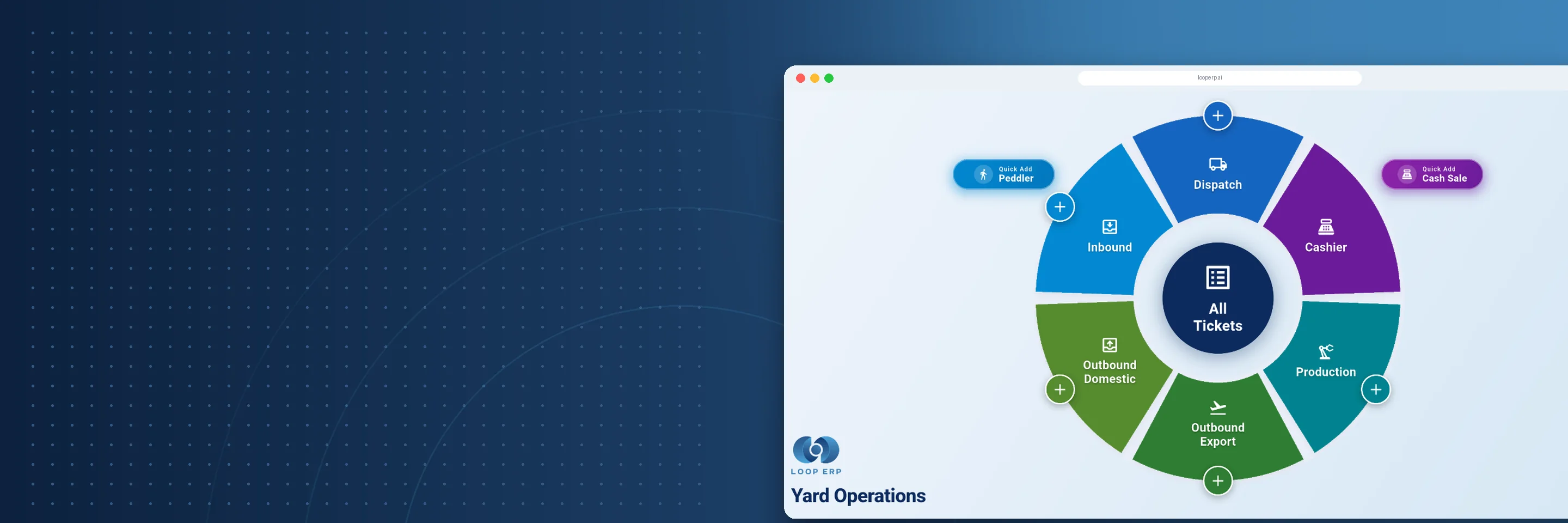
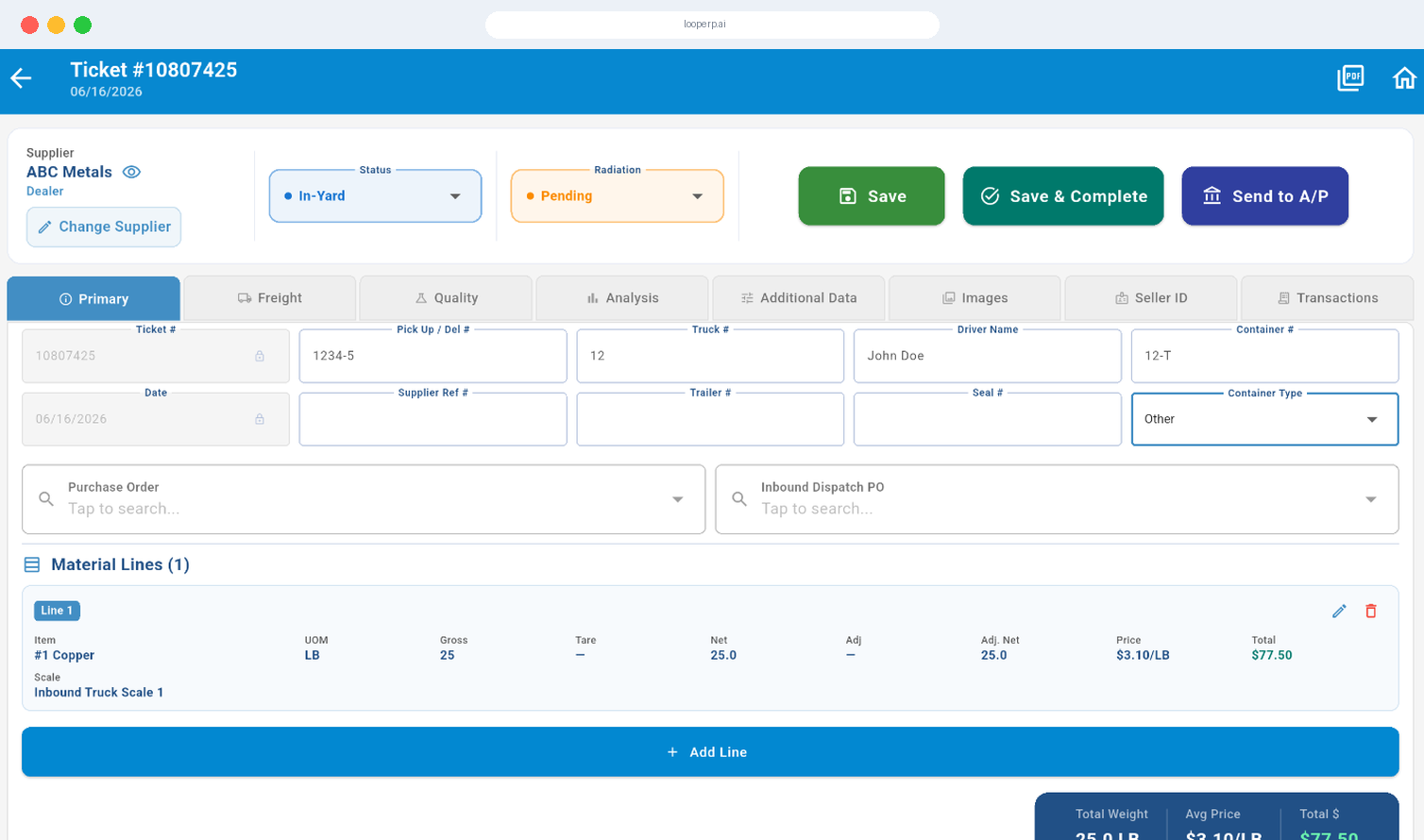
Loop ERP's Mobile Applications put the system in their hands, with a yard application built for scale houses and yard operators and mobile tools for drivers, inspectors, and warehouse crews, all recording straight into NetSuite.

What It Does
What is a mobile ERP app for warehouse and field operations?

Key Features

icon

Real-Time Inventory Scanning and Updates

Use the device camera or a connected scanner to record inventory movements, grades, condition, and location the moment material moves, instead of writing it down for later entry.

icon

Mobile Receiving and Condition Triage

Receive material from suppliers, customers, or partners on the spot. Apply a grade, tag its condition, and route it to reprocessing, refurbishment, or recycling from the same screen.

icon

Mobile Dispatch and Delivery Execution

Drivers see their assigned pickups, deliveries, and transfers, confirm each stop, and capture proof of delivery and load condition, all tied back to dispatch records.

icon

Quality Control and Inspection Tools

Run inspections on the yard, at a workstation, or in the field. Log results, assign grades, record defects, and start corrective actions from a phone or tablet.

icon

Return Management and RMA Intake

Process returns at the dock by scanning RMA labels, logging the return reason, and taking photos of the unit's condition when it arrives, before anyone argues about what showed up.

icon

Role-Based Access and Workspaces

Each person sees only the screens and transactions their job needs, whether they run the scale, drive a truck, inspect loads, work the warehouse floor, or coordinate in the field.

icon

Works on Devices You Already Use

Run the app on tablets, smartphones, ruggedized warehouse devices, or dedicated scanners, so crews can work on the hardware that fits their job and site.

Connected at Every Step

Made for Teams on the Move

Connected at Every Step

Loop ERP Mobile is built for operations where the real work happens away from the office:

  • Scale operators and yard staff recording loads and grades
  • Drivers capturing proof of pickup and delivery
  • Inspectors logging defects and condition on the floor
  • Warehouse and refurbishment teams tracking returns and condition changes

Every scan, photo, and confirmation lands in the same system that runs your tickets and financials.

Put the ERP Where the Work Happens

Loop ERP Mobile Applications let your crews record what happened at the moment it happened, so the office works from the same numbers the yard does.

Schedule a Demo
Put the ERP Where the Work Happens

Blogs

Latest Insights

See All Blogs
Year-End Physical Inventory: How to Get Your ERP Data Ready Before Count Day

October 21, 2026

Year-End Physical Inventory: How to Get Your ERP Data Ready Before Count Day

EPR Deadlines Are Coming: What Scrap and Recycling Operations Need to Report Before Year-End

October 15, 2026

EPR Deadlines Are Coming: What Scrap and Recycling Operations Need to Report Before Year-End

Weight Tickets, Cost Per Ton, and ERP: How Aggregate Producers Connect Operations to Finance

October 9, 2026

Weight Tickets, Cost Per Ton, and ERP: How Aggregate Producers Connect Operations to Finance

See All Blogs
Book a demo

Talk with Loop ERP

See how Loop ERP connects scale tickets, dispatch, inventory, settlements, and NetSuite financials in one system, with no exports, re-entry, or month-end reconciliation.

  • Your workflow, live. Walk a load from the scale ticket to the general ledger in NetSuite.
  • Industry experts. Talk with people who know scrap, recycling, aggregates, and brokerage.
  • A clear next step. Leave with a picture of what implementation looks like for your operation.

Request a demo

Share a few details and we'll set up a time that works for you.

Frequently Asked Questions

Everything you need to know about Loop ERP

Can Loop ERP handle large-scale operations?

icon

Yes. Loop ERP is built on NetSuite, the same platform used by enterprise operators, multi-site businesses, and high-volume processors. It handles multi-entity accounting, consolidated reporting across locations, high daily transaction volumes, and complex settlement structures without slowing down. If you are running one site today and five next year, you do not need to replatform to keep up.

How long does it take to implement Loop ERP?

icon

Implementation time varies, depending on the number of locations, material streams, and integrations involved (scales, cameras, payment processors, third-party logistics). The Loop ERP team handles data migration, workflow configuration, integration, and training in parallel, and we work directly with your operations leads, not just IT, so the system matches how your business actually runs on day one.

What support does Loop ERP offer?

icon

Loop ERP provides implementation support, training for operations and finance teams, and ongoing technical support after go-live. Clients get access to documentation, how-to guides, and direct consultation with our team for troubleshooting, configuration changes, and new workflow setup. Support is handled by people who understand the difference between a ticketing issue and a grading exception, not a generic help desk working from a script.

How secure is Loop ERP?

icon

Loop ERP runs on Oracle NetSuite, so your data lives inside enterprise cloud infrastructure with encryption in transit and at rest, role-based access, and audit logging on every transaction. Ticket edits, grade changes, and settlement adjustments all carry a user stamp and timestamp. If a record is overridden or reclassified, you can see who did it and when, which matters for disputes, audits, and internal controls.

What is the Loop ERP Yard Application?

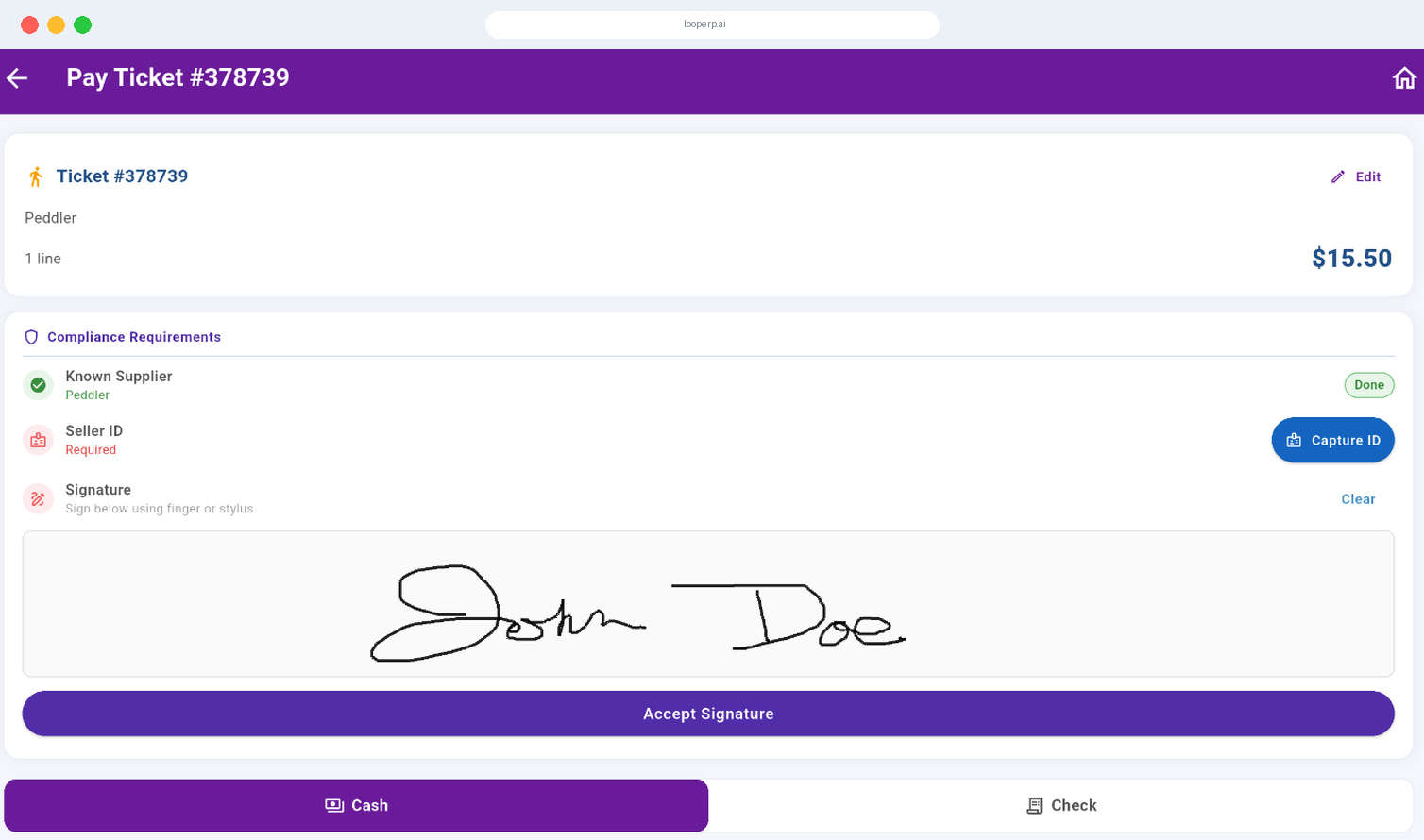
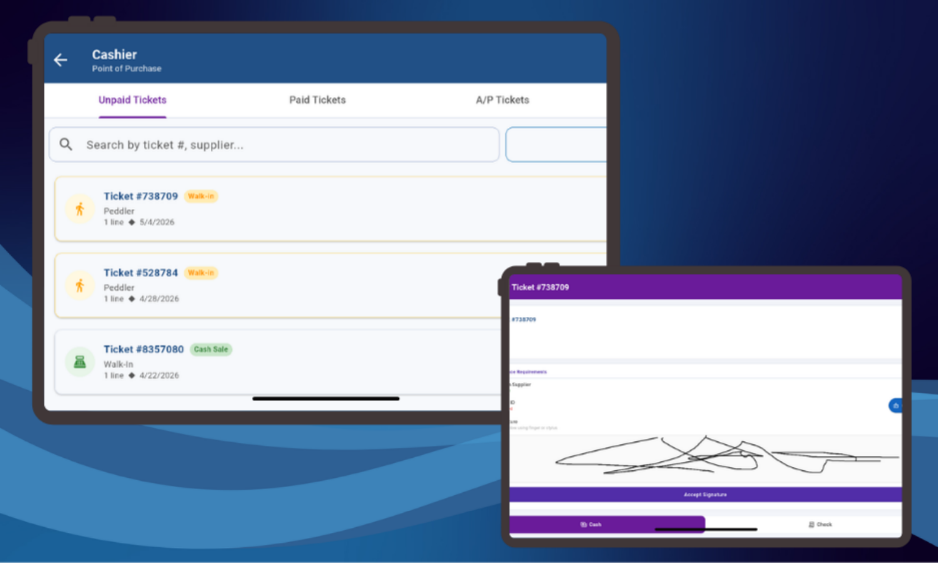
The Yard Application is a mobile- and tablet-friendly interface for scale houses and yard operators. It runs separately from the standard NetSuite screens and is built for speed and accuracy at the scale, so operators can record loads, weights, and grades quickly. Everything they enter posts to the same Loop ERP records your buyers, inspectors, and finance team use.

Which roles can use the mobile apps?

Scale operators, yard staff, inspectors, drivers, dispatchers, warehouse associates, refurbishment techs, and field coordinators can all work from mobile devices. Access is role based, so each person sees only the screens and transactions their job needs. A driver sees assigned stops and delivery confirmations, while an inspector sees inspection and grading steps for the loads in front of them.

What hardware do we need?

No special hardware is required. Loop ERP Mobile runs on tablets, smartphones, ruggedized warehouse devices, and dedicated scanners. Many teams use the camera on a phone or tablet for photos and barcode scans, while higher-volume receiving areas use connected scanners. You can mix device types across sites and roles based on what fits the work.

How does mobile data reach inventory and accounting?

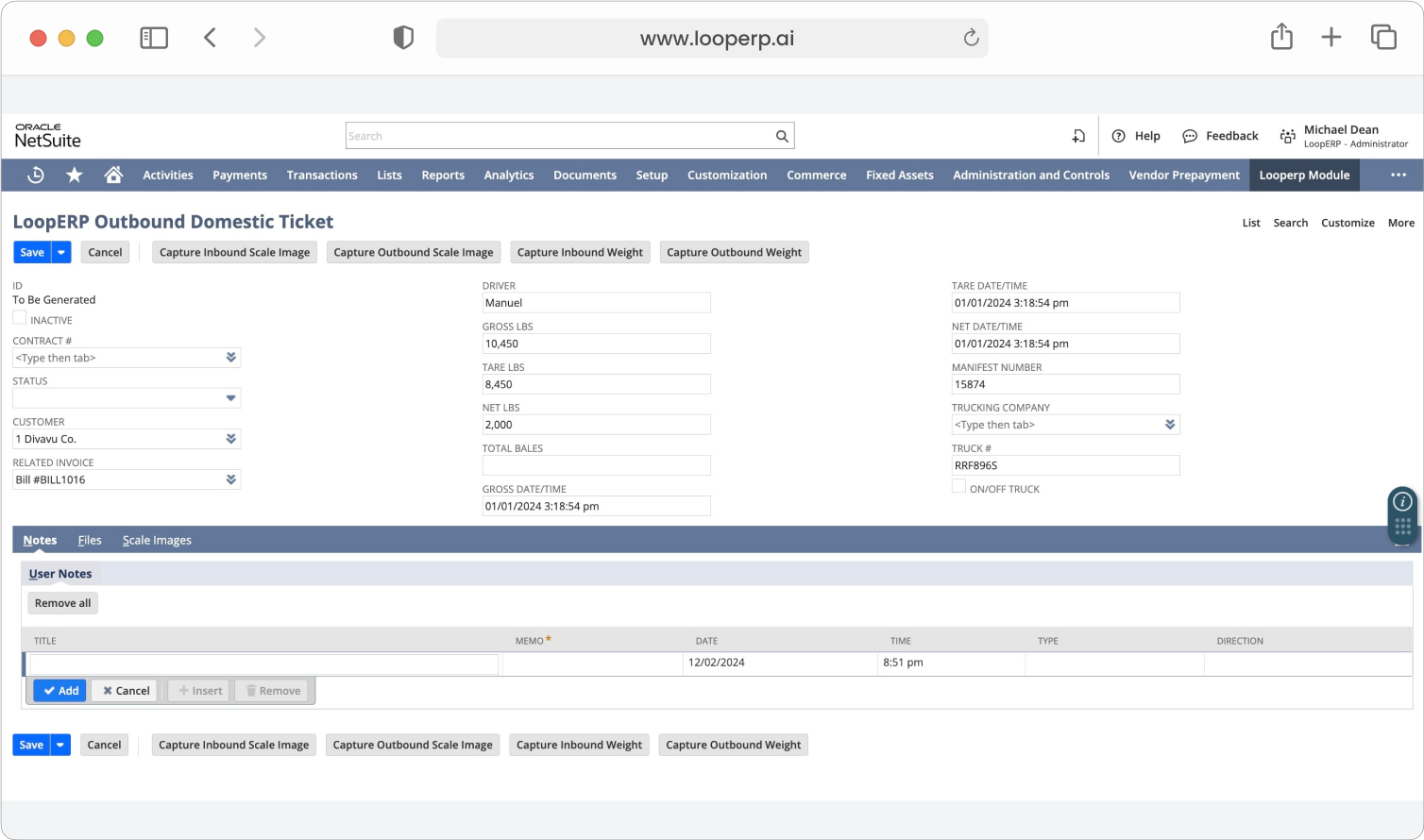
Actions taken on a device, like scanning a lot, applying a grade, recording a return, or confirming a delivery, are recorded against the related ticket, order, or inventory record in Loop ERP. Because Loop ERP is built inside NetSuite, those records feed the same inventory and financial data your office uses, without a separate sync or re-entry step.