Ticket Management

Loop ERP Modules & Features

Track Issues, Coordinate Actions, Close the Loop

In circular operations, your work doesn’t end when a shipment goes out or an item comes in. Whether it’s a damaged return, a missing component, a supplier quality issue, or an internal process breakdown, unresolved problems can cost time, money, and reputation. Loop ERP’s Ticket Management feature function allows you to create, assign, track, and resolve operational tickets from any department—so nothing slips through the cracks.

This isn’t a bolt-on help desk tool—it’s embedded directly in your operational workflows, designed to support real-time accountability and action across your circular supply chain.

img
icon

What It Does

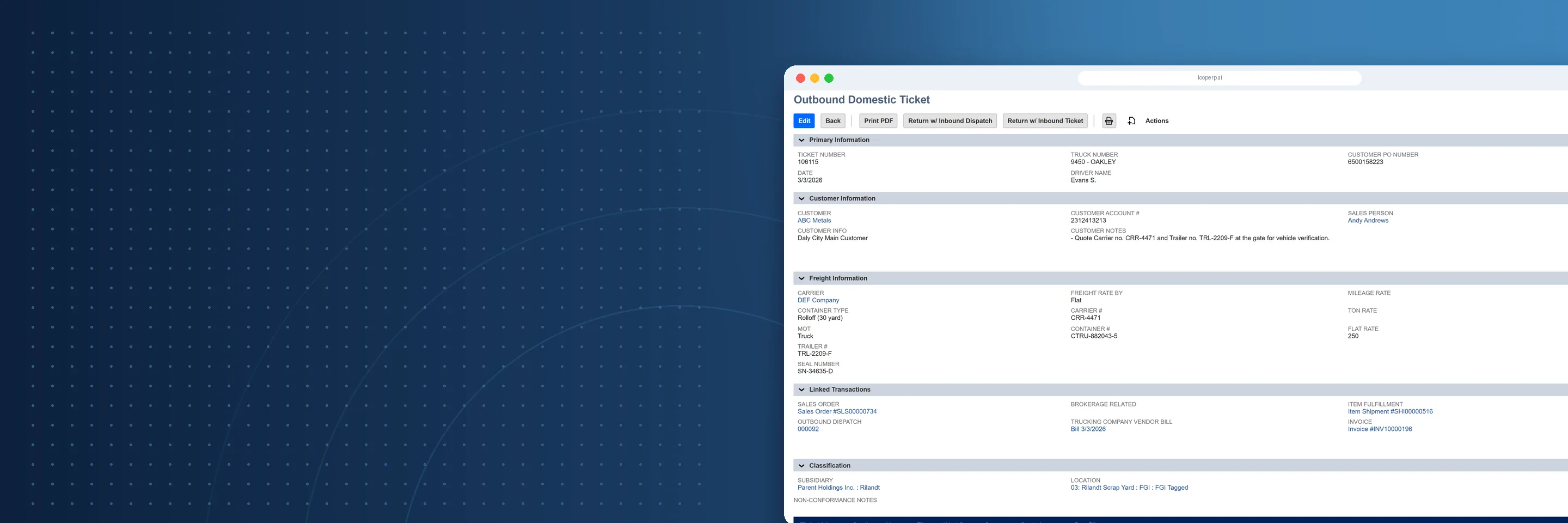
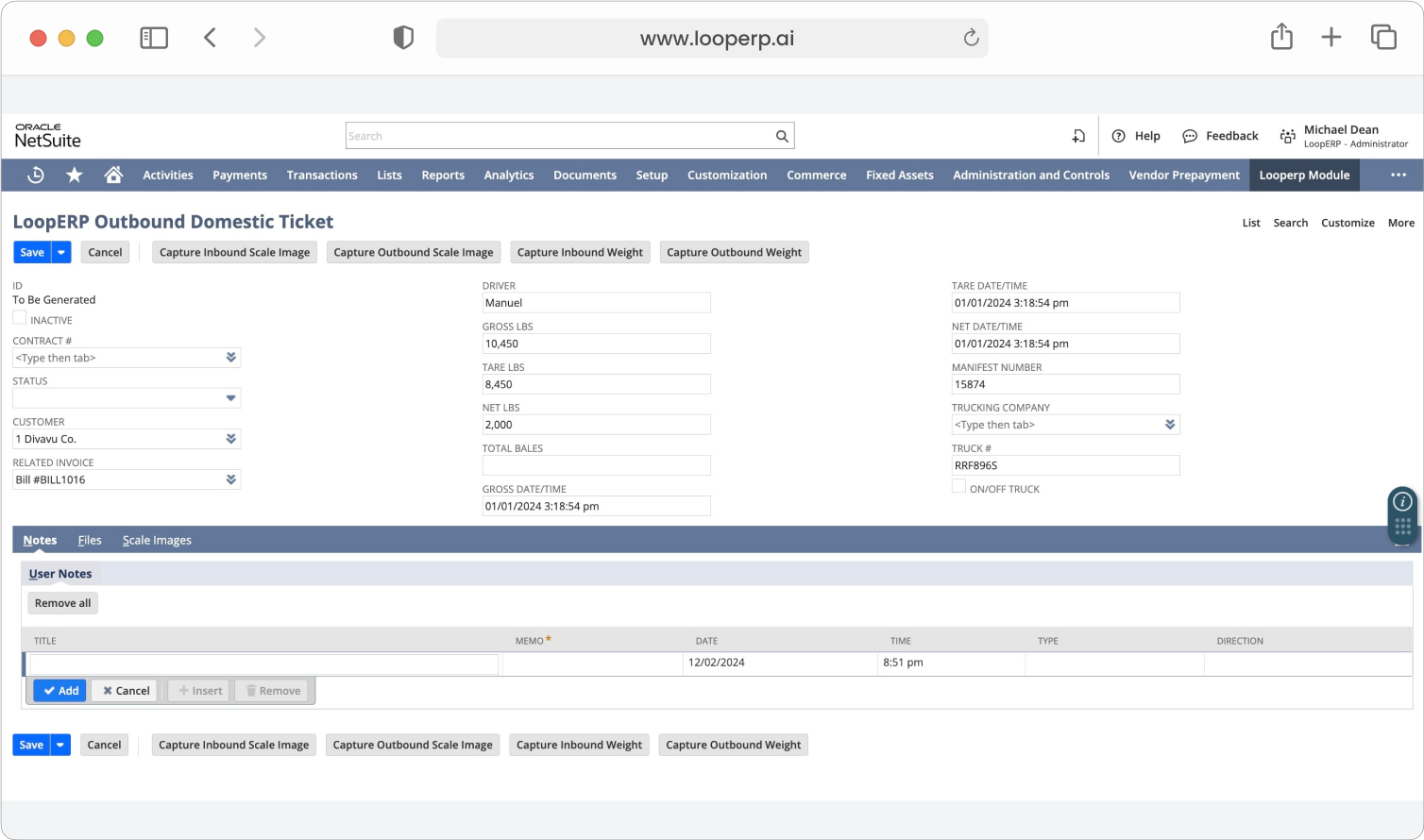
Loop ERP’s Ticket Management feature gives your teams the ability to flag and resolve issues across inventory, logistics, quality control, procurement, production, customer service, and more. Every ticket is tied to a specific object—an order, item, lot, shipment, or customer—and follows a customizable workflow for fast resolution.

Use it to manage exceptions, initiate corrective actions, coordinate internal communications, and build institutional knowledge across your circular operations.

What is Ticket Management in ERP?

Ticket management in ERP is the ability to flag, assign, track, and close operational issues directly inside the same system your team uses to run transactions. In a standard ERP, when something goes wrong — a damaged return, a supplier quality failure, a weight discrepancy, a compliance flag — there's no built-in place for it to live. Teams work around it with emails, spreadsheets, or a separate help desk tool that has no connection to the order, shipment, or lot the issue came from. ERP ticket management solves that by tying every issue to a specific transaction or record, routing it through a defined workflow, and keeping a full audit trail from the moment it's flagged to the moment it's resolved.

Key Features

icon

Embedded Issue Tracking Across Transactions

Create and manage tickets from within any transactional screen—sales orders, purchase orders, inventory receipts, returns, inspections, etc.

icon

Custom Ticket Types and Categories

Define issue types to suit your operation—logistics exception, quality failure, customer complaint, supplier nonconformance, regrading dispute, and more.

icon

Workflow Automation and Assignment

Assign tickets to users or departments based on issue type, severity, location, or product category. Ensure timely follow-up with status triggers and escalations.

icon

Collaboration and Internal Comments

Facilitate seamless interdepartmental communication with in-line comments, tagging, and status updates inside each ticket.

icon

Link to Root Cause and Corrective Action (RCCA)

For quality, safety, or regulatory-driven businesses, track root cause and resolution steps as part of structured process improvement.

icon

Integrated With Inventory and Condition Data

Tickets raised on inventory can include real-time condition info, location, grade, serial numbers, and prior movement or inspection history.

icon

Customer- and Partner-Facing Portal Support

Allow external users—like customers, vendors, or partners—to submit and view tickets related to returns, defects, or disputes.

icon

Dashboards and Reporting

Monitor ticket volume, resolution times, open cases by type, and repeat issues. Use this data to strengthen operations and reduce recurring problems.

img

Loop Accountability

Built for Circular Accountability

In the circular economy, things are reused, reworked, rerouted—and sometimes, they break. You need a system that helps your team:

  • Flag and resolve issues tied to reused and regraded inventory
  • Coordinate between departments, facilities, and partners
  • Maintain documentation for audit, warranty, or compliance
  • Turn mistakes into insights for continuous improvement

Traditional ERP systems aren’t built to handle this level of operational nuance. Loop ERP is.

Resolve What Matters, Fast

Loop ERP’s Ticket Management feature turns your business into a more responsive, coordinated, and quality-driven operation, ensuring that no issue—big or small—gets lost in the shuffle.

Schedule a Demo
img

Blogs

Latest Insights

See All Blogs
icon

April 23, 2026

EPR Reporting for Scrap Recyclers: What Your ERP Needs to Handle in 2026

icon

April 13, 2026

What Is Scrap ERP? And Why Generic Systems Fail Scrap Metal Recyclers

icon

March 31, 2026

What Is a Circular Economy ERP? A Plain-English Guide for Scrap, Recycling, and Materials Businesses

See All Blogs

Frequently Asked Questions

Everything you need to know about Loop ERP

Can Loop ERP handle large-scale operations?

icon

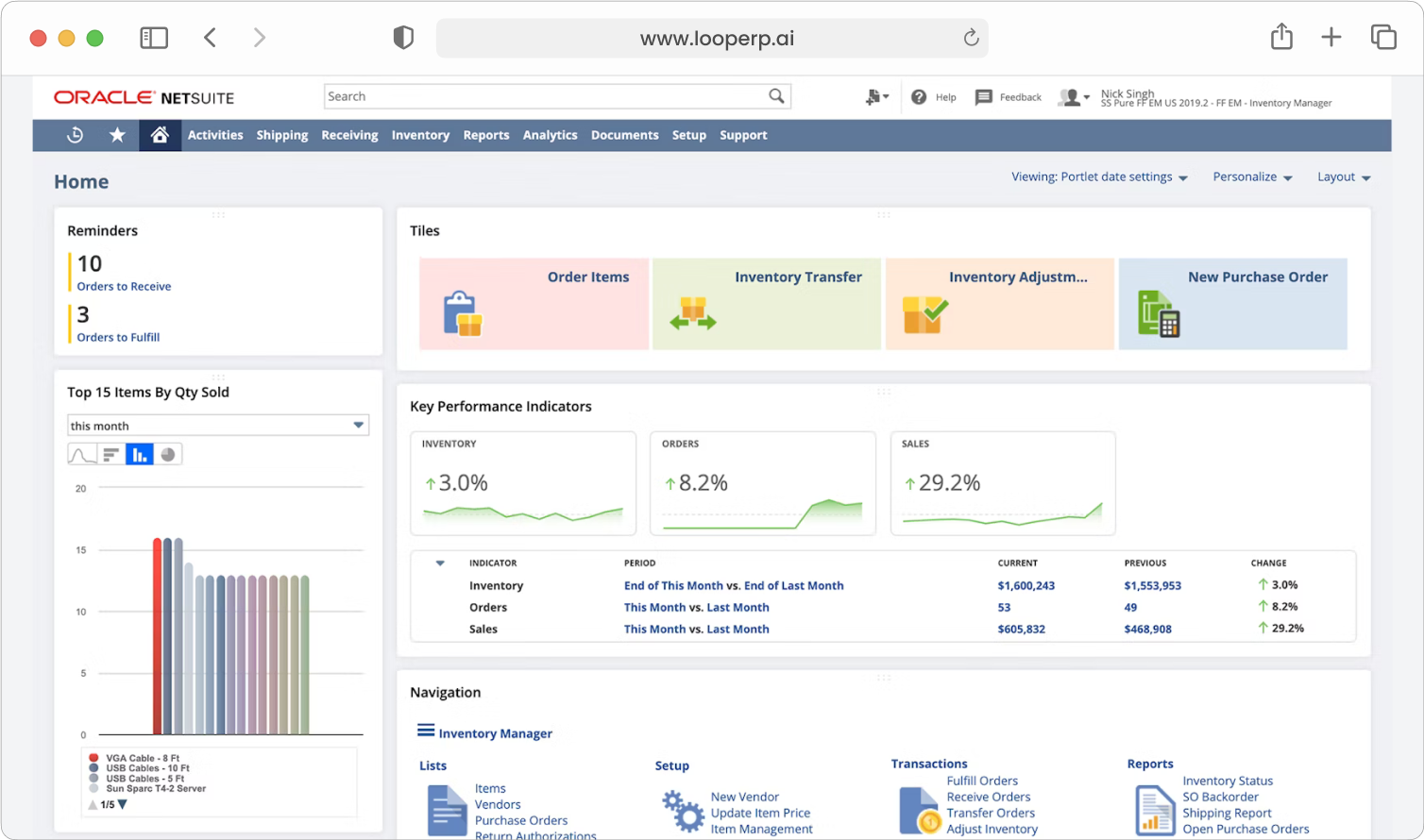
Yes. Loop ERP is built on NetSuite, the same platform used by enterprise operators, multi-site businesses, and high-volume processors. It handles multi-entity accounting, consolidated reporting across locations, high daily transaction volumes, and complex settlement structures without slowing down. If you are running one site today and five next year, you do not need to replatform to keep up.

How long does it take to implement Loop ERP?

icon

Implementation time varies, depending on the number of locations, material streams, and integrations involved (scales, cameras, payment processors, third-party logistics). The Loop ERP team handles data migration, workflow configuration, integration, and training in parallel, and we work directly with your operations leads, not just IT, so the system matches how your business actually runs on day one.

What makes Loop ERP different from other ERP systems?

icon

Most ERP systems treat inventory as static boxes on a shelf. Loop is built for inventory that changes grade, weight, and value at every step, which is how scrap, recycling, aggregate, brokerage, and similar materials-based businesses actually work. It is also NetSuite-native, so you do not need a separate accounting package, a middleware layer, or a patchwork of integrations to get from inbound ticket to closed financials. One login, one system, one source of truth for operations and finance.

What support does Loop ERP offer?

icon

Loop ERP provides implementation support, training for operations and finance teams, and ongoing technical support after go-live. Clients get access to documentation, how-to guides, and direct consultation with our team for troubleshooting, configuration changes, and new workflow setup. Support is handled by people who understand the difference between a ticketing issue and a grading exception, not a generic help desk working from a script.

How secure is Loop ERP?

icon

Loop ERP runs on Oracle NetSuite, so your data lives inside enterprise cloud infrastructure with encryption in transit and at rest, role-based access, and audit logging on every transaction. Ticket edits, grade changes, and settlement adjustments all carry a user stamp and timestamp. If a record is overridden or reclassified, you can see who did it and when, which matters for disputes, audits, and internal controls.