Inbound Logistics

Loop ERP Modules & Features

Inbound Logistics Software for Returns, Receiving, and Circular Supply Chains

In the circular economy, inbound logistics isn’t just about receiving pallets from suppliers—it’s about accepting returns, reclaimed goods, salvaged components, refurbished stock, and even raw materials for reuse. Loop ERP’s Inbound Logistics feature function is built for this new reality—where inventory enters from multiple sources, in various conditions, and for many purposes beyond first-sale fulfillment.

With full visibility, intelligent routing, and flexible receiving logic, Loop ERP helps your team move inbound materials from dock to decision faster than ever.

img
icon

What It Does

Loop ERP’s Inbound Logistics feature gives you control over the intake of all incoming goods—whether they're purchased, returned, transferred, repaired, or recycled. It enables smart receiving, real-time visibility, and automated workflows that reduce manual handling, improve traceability, and accelerate the value recovery process.

This is inbound logistics purpose-built for businesses that manage flows, not just inventory.

What is inbound logistics software in an ERP?

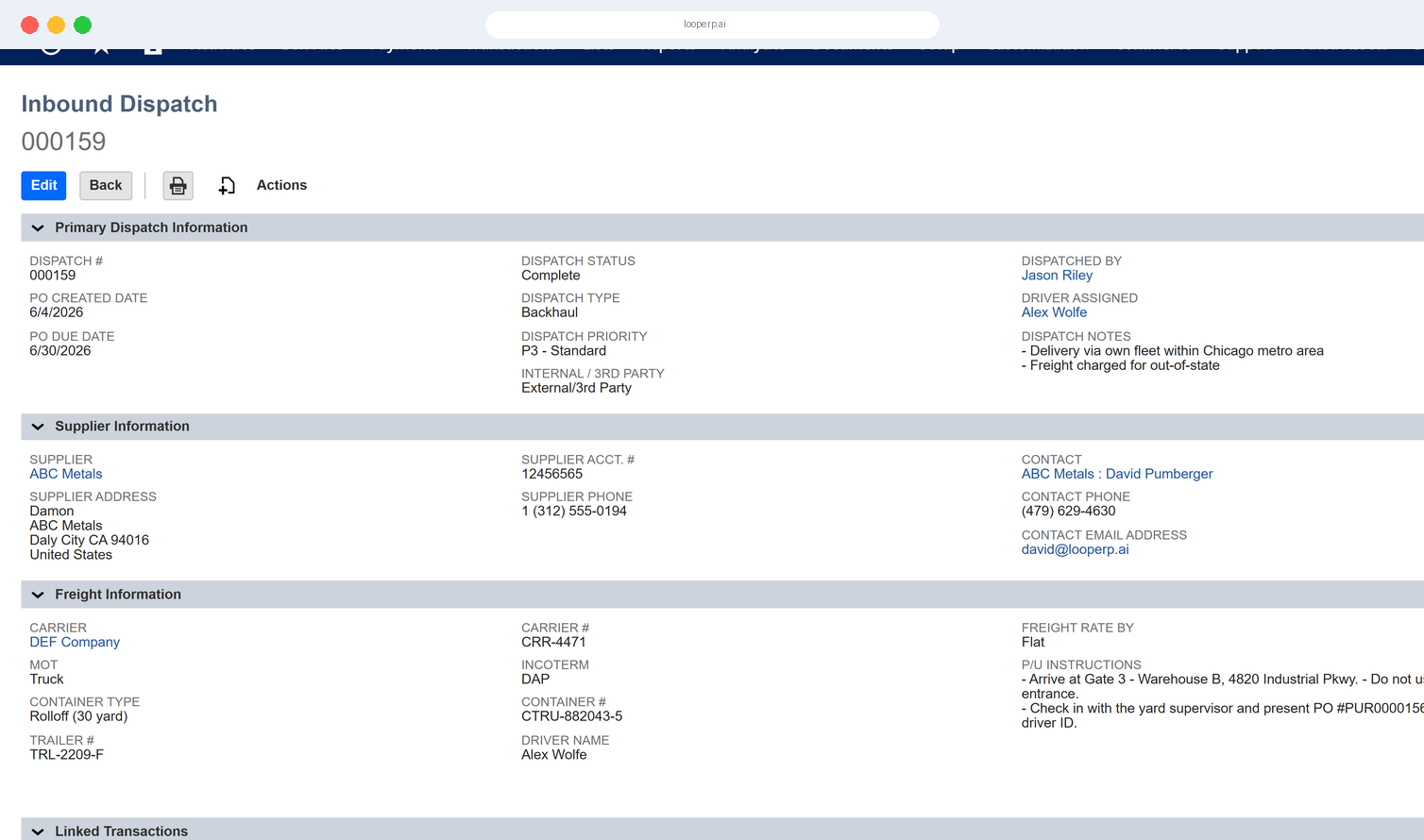
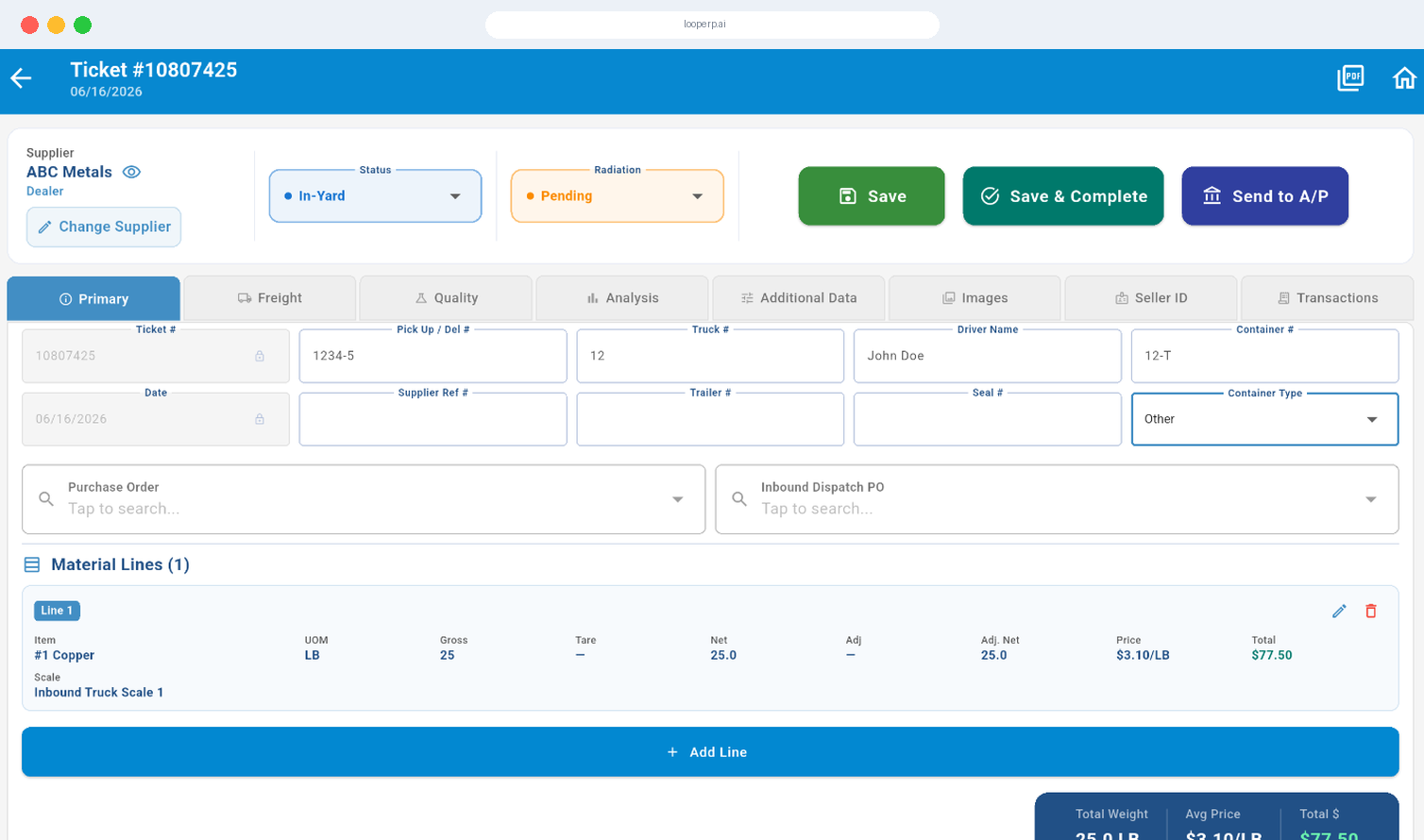
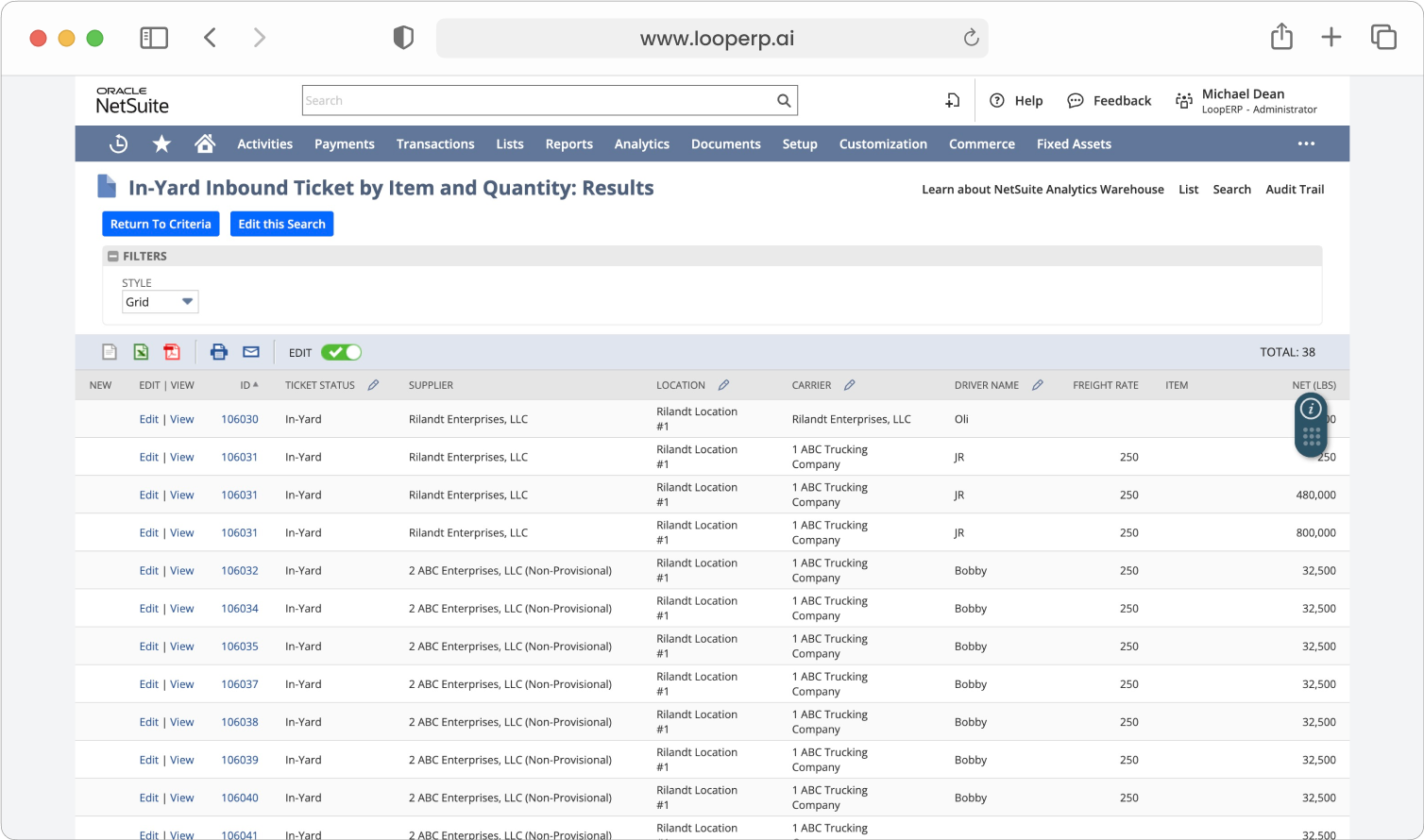
Inbound logistics software is the part of an ERP system that manages everything that happens from the moment goods are expected to arrive through receiving, inspection, triage, and routing into your operations. In a standard supply chain, that means matching purchase orders to deliveries and updating stock counts. In circular and materials-based operations, it means handling a much wider range of inbound types — customer returns in unknown condition, supplier shipments with mixed grades, reclaimed components from reverse logistics runs, and raw recovered materials headed for reprocessing — all in the same workflow, ideally in the same system. A purpose-built inbound logistics module handles that full range natively: advance shipment notices that prep the team before a load arrives, condition-based triage that routes each item to the right next step automatically, camera integration that captures visual evidence at intake, and audit trails that tie every receiving decision back to the transaction record. When inbound is connected to your ERP rather than managed separately, the data that receiving generates — grades, quantities, conditions, exceptions — is immediately available to operations, finance, and inventory without anyone re-entering it.

Expanded Key Features

icon

Unified Receiving for All Inbound Types

Receive standard purchase orders, returns from customers, transfers from facilities, or recovered materials—all through a single, intelligent interface.

icon

Pre-Receiving & Advance Shipment Notices (ASN)

Plan receiving before the truck hits the dock. Use ASNs to schedule dock space, allocate labor, and stage inventory workflows ahead of time.

icon

Returns-Aware Receiving

Automatically trigger inspections, grading, and disposition workflows when items are returned from customers, partners, or field operations.

icon

Smart Routing & Condition Triage

Upon receiving, Loop ERP can guide users to route items based on grade, condition, or next action—reducing bottlenecks and misroutes.

icon

Barcode, QR, and RFID Integration

Scan items on arrival using barcodes, QR codes, or RFID to speed up identification, reduce manual errors, and instantly link items to records.

icon

Visual Verification with Camera Integration

Use integrated cameras to snap photos or record short videos of incoming goods—especially returns—to verify condition, reduce disputes, and improve grading accuracy.

icon

Kitting, Unboxing & Disassembly at Receiving

Unpack complex or bundled returns, initiate disassembly BOMs, or route components directly to sub-inventory buckets for reuse or resale.

icon

Inbound Audit Trails & Exception Handling

Track every step of the receiving process with complete transparency. Loop ERP logs who received what, when, and under what conditions.

img

Inbound Clarity

Designed for Circular Inbound Complexity

Unlike traditional ERPs that assume inbound inventory is new and pristine, Loop ERP understands that incoming materials may be:

  • Customer returns with unknown condition
  • Supplier items with mixed grades
  • Used components from reverse logistics
  • Inventory transferred for disassembly or repair

With Loop ERP, your inbound operations become a strategic entry point for recovery, reuse, and value regeneration.

Get Control Where It Starts

Inbound is the first touchpoint for everything your circular business will eventually sell, reuse, or reclaim. With Loop ERP Inbound Logistics, you gain real-time control, reduce delays, and unlock the hidden value of your incoming inventory.

Schedule a Demo
img

Blogs

Latest Insights

See All Blogs
icon

April 23, 2026

EPR Reporting for Scrap Recyclers: What Your ERP Needs to Handle in 2026

icon

April 13, 2026

What Is Scrap ERP? And Why Generic Systems Fail Scrap Metal Recyclers

icon

March 31, 2026

What Is a Circular Economy ERP? A Plain-English Guide for Scrap, Recycling, and Materials Businesses

See All Blogs

Frequently Asked Questions

Everything you need to know about Loop ERP

Can Loop ERP handle large-scale operations?

icon

Yes. Loop ERP is built on NetSuite, the same platform used by enterprise operators, multi-site businesses, and high-volume processors. It handles multi-entity accounting, consolidated reporting across locations, high daily transaction volumes, and complex settlement structures without slowing down. If you are running one site today and five next year, you do not need to replatform to keep up.

How long does it take to implement Loop ERP?

icon

Implementation time varies, depending on the number of locations, material streams, and integrations involved (scales, cameras, payment processors, third-party logistics). The Loop ERP team handles data migration, workflow configuration, integration, and training in parallel, and we work directly with your operations leads, not just IT, so the system matches how your business actually runs on day one.

What makes Loop ERP different from other ERP systems?

icon

Most ERP systems treat inventory as static boxes on a shelf. Loop is built for inventory that changes grade, weight, and value at every step, which is how scrap, recycling, aggregate, brokerage, and similar materials-based businesses actually work. It is also NetSuite-native, so you do not need a separate accounting package, a middleware layer, or a patchwork of integrations to get from inbound ticket to closed financials. One login, one system, one source of truth for operations and finance.

What support does Loop ERP offer?

icon

Loop ERP provides implementation support, training for operations and finance teams, and ongoing technical support after go-live. Clients get access to documentation, how-to guides, and direct consultation with our team for troubleshooting, configuration changes, and new workflow setup. Support is handled by people who understand the difference between a ticketing issue and a grading exception, not a generic help desk working from a script.

How secure is Loop ERP?

icon

Loop ERP runs on Oracle NetSuite, so your data lives inside enterprise cloud infrastructure with encryption in transit and at rest, role-based access, and audit logging on every transaction. Ticket edits, grade changes, and settlement adjustments all carry a user stamp and timestamp. If a record is overridden or reclassified, you can see who did it and when, which matters for disputes, audits, and internal controls.