Real-Time Dashboards

Loop ERP Modules & Features

Real-Time ERP Dashboard for Operations, Finance, and Circular KPIs

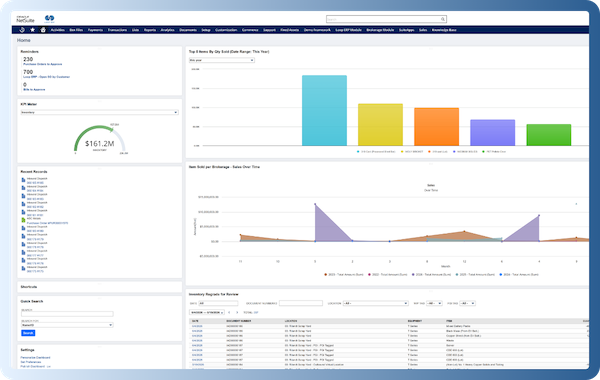
In a circular business model, the data isn’t just changing daily—it’s evolving by the minute. Materials are moving in, out, and around. Products are being reused, regraded, repaired, and resold. Your team needs more than static reports—they need real-time, actionable dashboards to navigate the complexity.

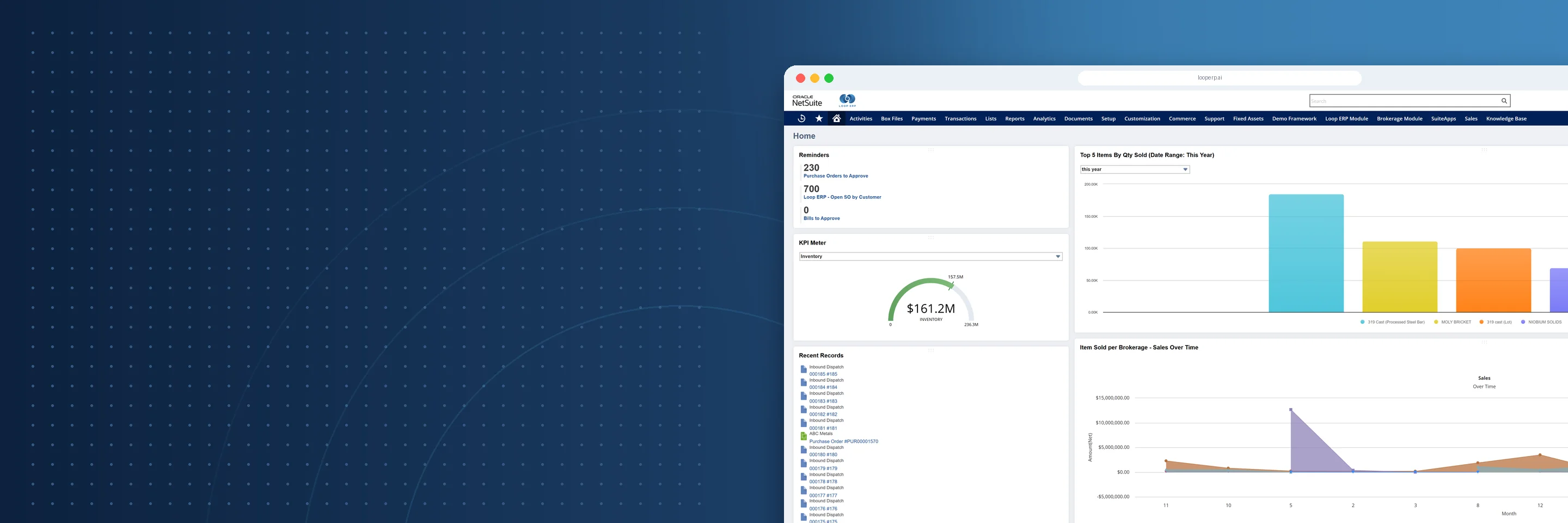
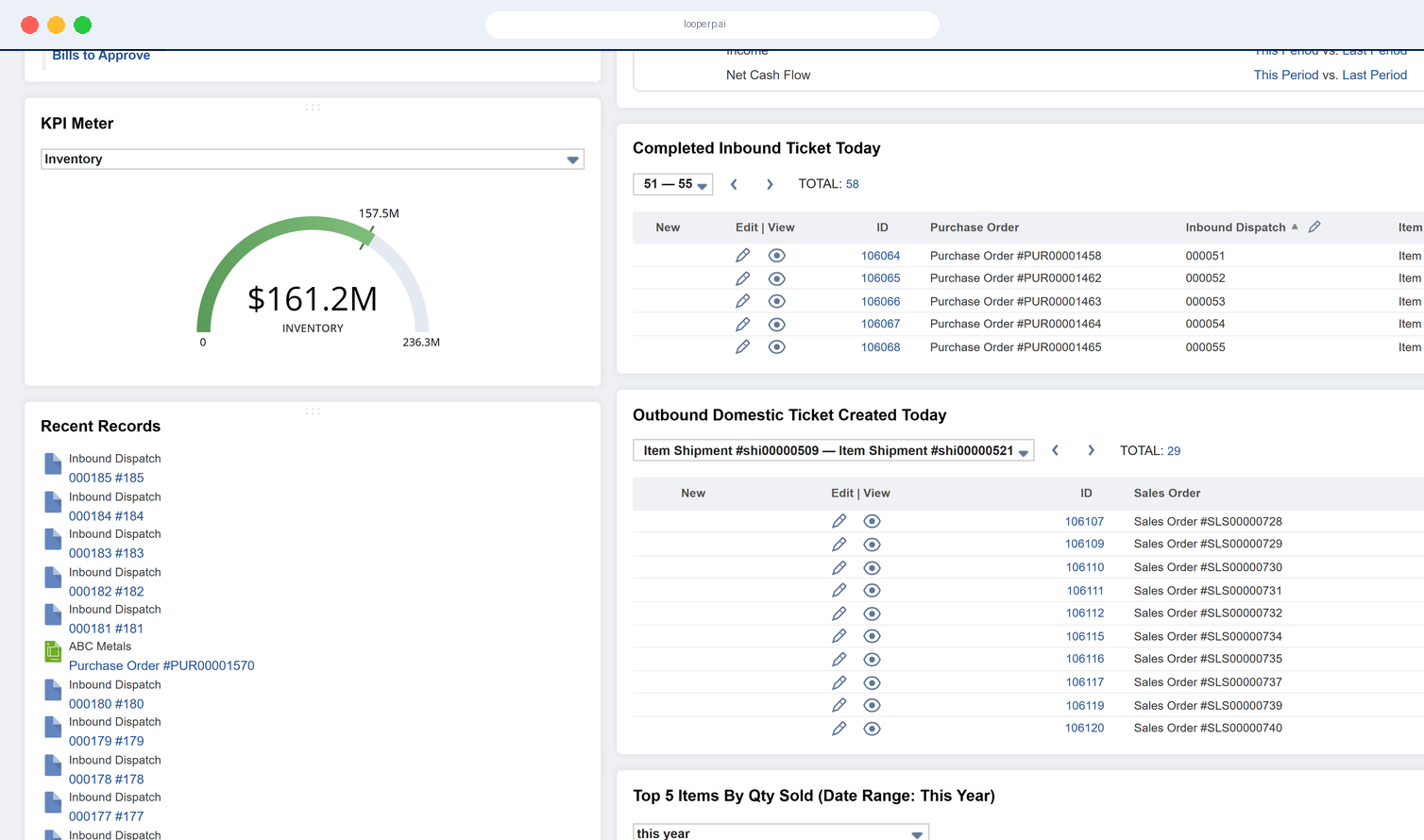
Loop ERP’s Real-Time Dashboards give you immediate visibility into your most critical metrics—from inventory by condition and returns trends to ESG performance and partner compliance. Make better decisions, spot issues early, and drive your operations with clarity and confidence.

img
icon

What It Does

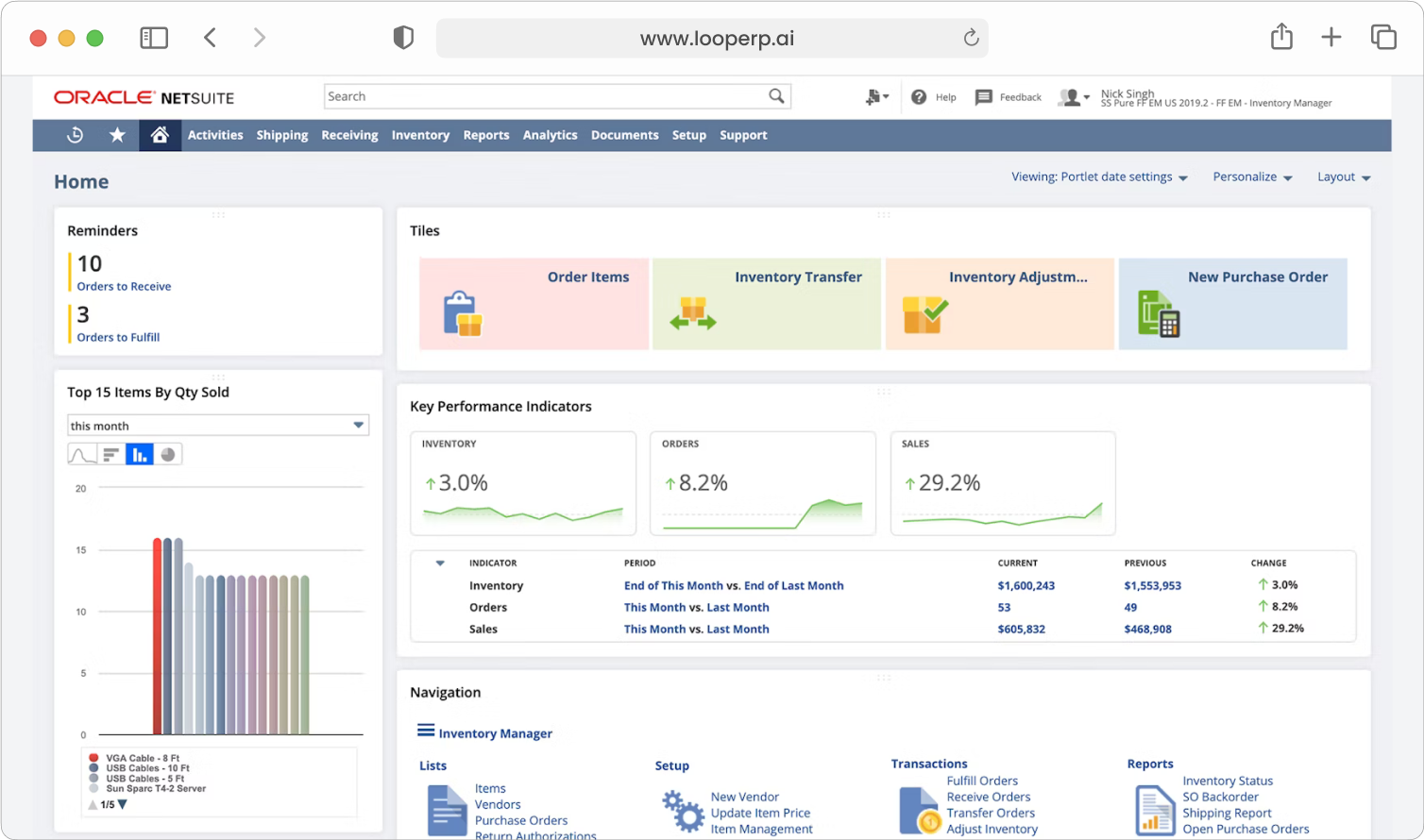
The Real-Time Dashboards feature in Loop ERP provides dynamic, customizable dashboards that reflect live operational data across every corner of your circular business. Whether you’re in finance, operations, supply chain, or sustainability, you get the exact metrics you need, updated in real time, without waiting for manual reports or end-of-day batches.

What is a real-time ERP dashboard for circular operations?

A real-time ERP dashboard is a live view of your business's operational and financial data, updated as transactions happen — not after end-of-day batch runs or manual exports. In materials-based businesses, where inventory grades change throughout the day, recovery yields vary by load, and logistics and finance need to stay in sync across multiple sites, waiting on static reports means making decisions on stale data. The difference between a generic BI tool and a purpose-built ERP dashboard is that the latter pulls directly from the same records driving your transactions — so when a load is graded, received, or dispatched, the dashboard already reflects it. For circular operations specifically, that means tracking metrics that standard ERP dashboards don't even have fields for: reuse rates, material recovery percentages, grading success by category, and lifecycle status from receipt to resale. When those numbers are live and accessible by role — operations managers seeing one view, finance seeing another, executives seeing the summary — decisions get made faster and with fewer surprises at month end.

Key Features

icon

Live Operational Metrics

Track what’s happening across your business as it happens—from new receipts and shipments to grading status changes, refurb queue volumes, or part recovery rates.

icon

Customizable by Role and Function

Tailor dashboards to the needs of different teams—warehouse, finance, quality, sustainability, customer service, or executive leadership.

icon

Circular Economy KPIs

Go beyond traditional ERP metrics. Track indicators that matter for circular operations—reuse rates, material recovery percentages, grading success rate, carbon offset performance, and more.

icon

Drill-Down and Interactive Exploration

Click into any widget to explore the underlying data, from high-level metrics to individual transactions, items, or users.

icon

Pre-Built Templates for Key Areas

Choose from a library of dashboard templates designed for circular workflows:

icon

Visual Alerts and Anomaly Detection

Automatically flag outliers, exceptions, or underperformance based on configurable rules—so you can respond before problems escalate.

icon

Embedded Across the Platform

Dashboards can be embedded into any screen—so warehouse workers, customer service reps, or quality inspectors always see what’s relevant to them, in context.

icon

Exportable for Reporting and Stakeholders

Export dashboard views or individual widgets to share with investors, regulators, or partner organizations. Simplify ESG, SLA, or performance reviews.

img

Built for the Speed of Circular Operations

Traditional ERPs show you where you've been. Loop ERP’s Real-Time Dashboards show you where you are—and more importantly, where you’re going.

For circular businesses, visibility isn’t optional:

  • Track how many items are being reused, and how fast
  • Monitor the lifecycle of goods from receipt to resale
  • Keep sustainability promises backed by live data
  • Enable your team to act, not just react

See It. Understand It. Act on It.

With Real-Time Dashboards, Loop ERP becomes your organization’s nerve center, aligning operations, finance, quality, and sustainability through shared, live intelligence.

Schedule a Demo
img

Blogs

Latest Insights

See All Blogs
icon

April 23, 2026

EPR Reporting for Scrap Recyclers: What Your ERP Needs to Handle in 2026

icon

April 13, 2026

What Is Scrap ERP? And Why Generic Systems Fail Scrap Metal Recyclers

icon

March 31, 2026

What Is a Circular Economy ERP? A Plain-English Guide for Scrap, Recycling, and Materials Businesses

See All Blogs

Frequently Asked Questions

Everything you need to know about Loop ERP

Can Loop ERP handle large-scale operations?

icon

Yes. Loop ERP is built on NetSuite, the same platform used by enterprise operators, multi-site businesses, and high-volume processors. It handles multi-entity accounting, consolidated reporting across locations, high daily transaction volumes, and complex settlement structures without slowing down. If you are running one site today and five next year, you do not need to replatform to keep up.

How long does it take to implement Loop ERP?

icon

Implementation time varies, depending on the number of locations, material streams, and integrations involved (scales, cameras, payment processors, third-party logistics). The Loop ERP team handles data migration, workflow configuration, integration, and training in parallel, and we work directly with your operations leads, not just IT, so the system matches how your business actually runs on day one.

What makes Loop ERP different from other ERP systems?

icon

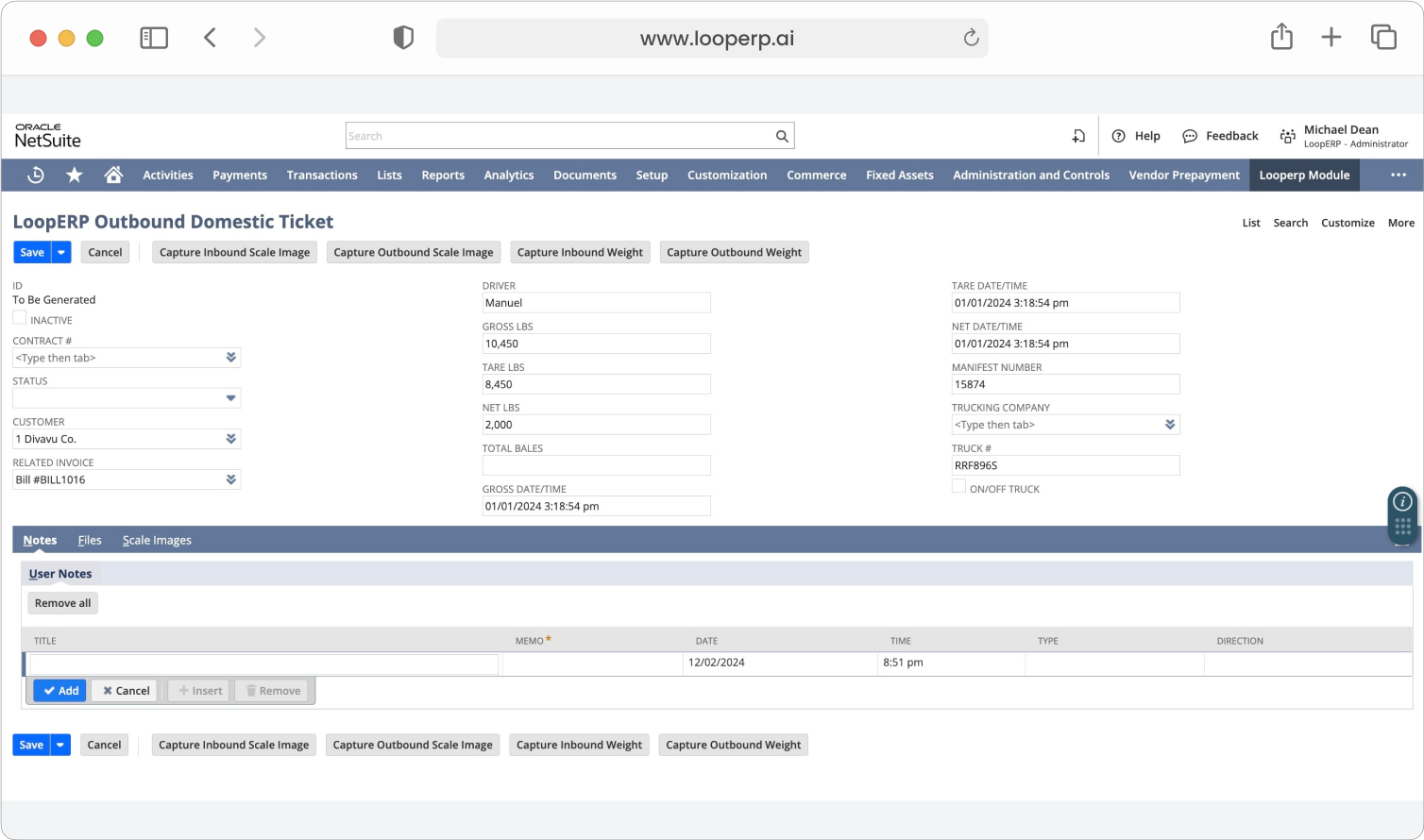
Most ERP systems treat inventory as static boxes on a shelf. Loop is built for inventory that changes grade, weight, and value at every step, which is how scrap, recycling, aggregate, brokerage, and similar materials-based businesses actually work. It is also NetSuite-native, so you do not need a separate accounting package, a middleware layer, or a patchwork of integrations to get from inbound ticket to closed financials. One login, one system, one source of truth for operations and finance.

What support does Loop ERP offer?

icon

Loop ERP provides implementation support, training for operations and finance teams, and ongoing technical support after go-live. Clients get access to documentation, how-to guides, and direct consultation with our team for troubleshooting, configuration changes, and new workflow setup. Support is handled by people who understand the difference between a ticketing issue and a grading exception, not a generic help desk working from a script.

How secure is Loop ERP?

icon

Loop ERP runs on Oracle NetSuite, so your data lives inside enterprise cloud infrastructure with encryption in transit and at rest, role-based access, and audit logging on every transaction. Ticket edits, grade changes, and settlement adjustments all carry a user stamp and timestamp. If a record is overridden or reclassified, you can see who did it and when, which matters for disputes, audits, and internal controls.